


Want to know exactly what happens in your online store? Who viewed a product, who added it to cart and who finally bought it? This module connects your PrestaShop store with Google Analytics 4 and Google Tag Manager within minutes, without touching any code or template. It tracks a customer's full journey from first click to completed order, works across multiple stores at once and respects data protection rules through Google Consent Mode v2 support.
Every online store owner wants to know what's really happening in their business. Not just how many orders came in, but where customers left, what caught their attention and what finally convinced them to buy. That's exactly what Google Analytics 4 is for, and this module connects it to your PrestaShop store correctly, quickly and without unnecessary complications.
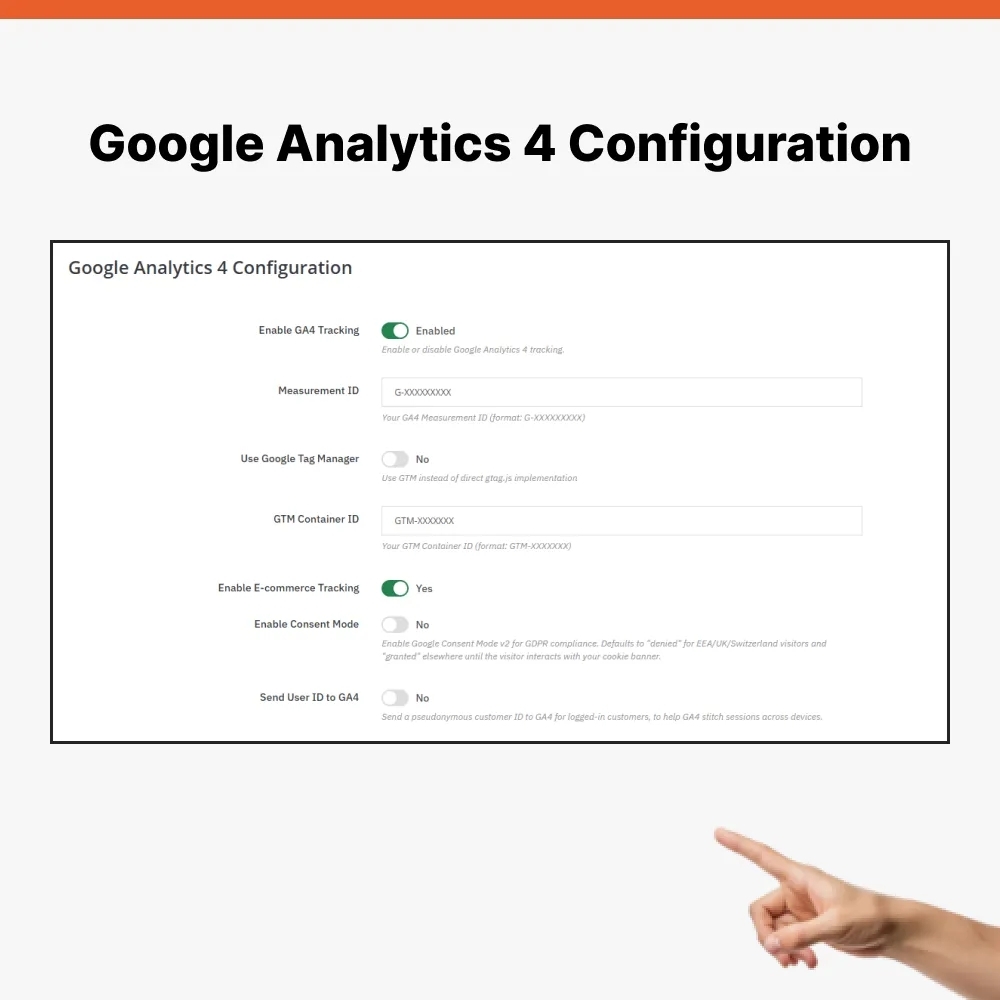
Setup requires no technical knowledge. Simply enter your Measurement ID from Google Analytics 4 or Container ID from Google Tag Manager, turn tracking on and let this module handle everything else. No template edits, no touching source code.
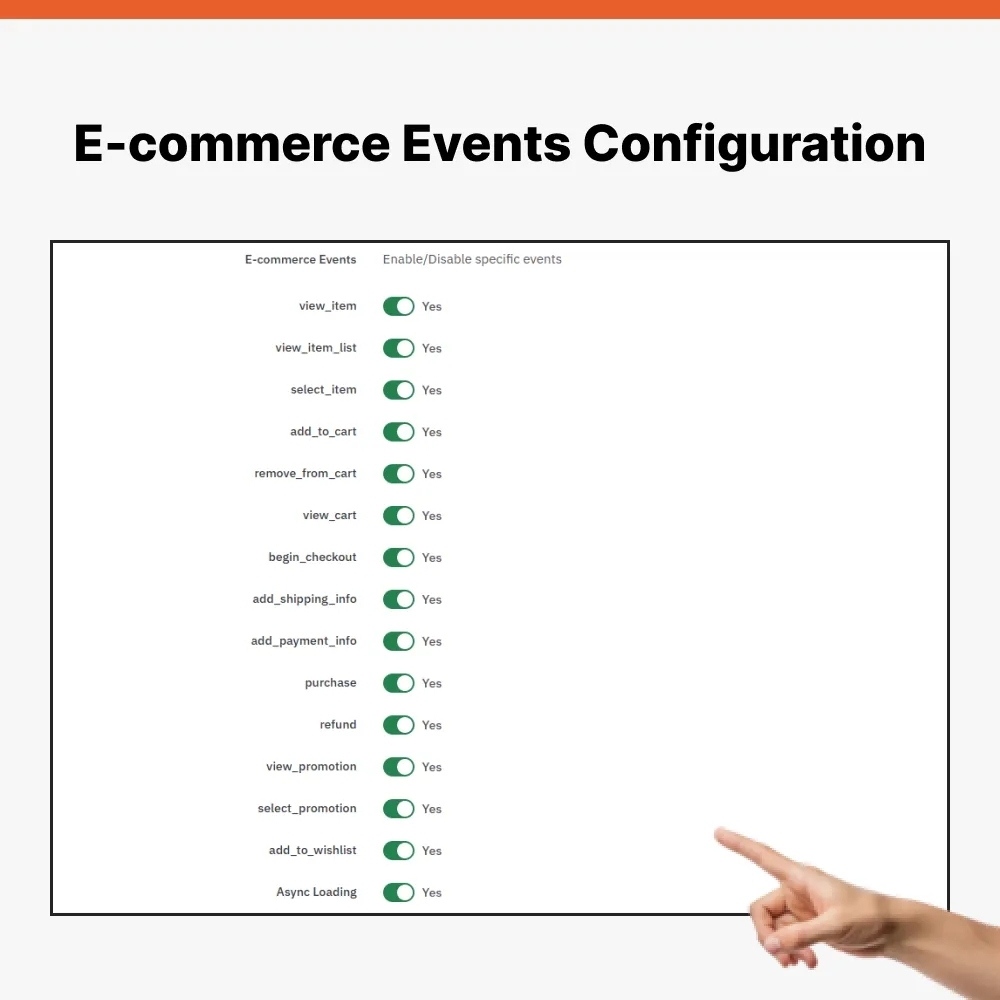
This module automatically tracks steps that matter most for e-commerce. Viewing a product, adding and removing it from cart, viewing cart, starting checkout, selecting shipping, entering payment and completing purchase all get sent to Google Analytics 4 in correct format. That gives you full visibility into a customer's journey, from first look at a product to final order confirmation. For more advanced scenarios, like tracking promotion views or wishlist additions, this module offers ready support you can connect to your template or wishlist module.
If you run multiple stores at once, this module handles that too. Each store keeps its own tracking settings, so data never mixes and you get clear insight into performance of every single store.
Visitor privacy matters just as much. This module includes support for Google Consent Mode v2, so tracking adapts based on whether a customer consented to data collection or not. For visitors from European Economic Area, United Kingdom and Switzerland, tracking defaults to denied until a visitor approves it through your cookie banner. Today that's not just courtesy, it's a legal requirement.
For online stores that want better cross-device tracking of logged-in customers, there's optional sending of a pseudonymous customer ID to Google Analytics 4. It helps Google Analytics connect separate visits into one customer story more accurately.
This script can also load asynchronously, meaning measurement doesn't slow down page load and customers won't notice a thing.
This module is compatible with PrestaShop from version 1.7 upward.
Data sheet
gtag('event', …)). Before, they went only to dataLayer, which only Google Tag Manager reads.add_to_cart no longer disappears after AJAX: AJAX request does not consume event queue.remove_from_cart.item_category to item_category5).purchase.purchase is not sent again when page is refreshed.begin_checkout is sent at checkout, not when cart is displayed.add_shipping_info contains carrier name.view_item_list, select_item and refund (via Measurement Protocol, requires API secret).ga4-front.js) and pending endpoint.<noscript> and user_id in gtag mode.upgrade-1.2.0.php and ensureInstallation(), which register missing hooks and add missing settings after update.tests/validate.php can no longer be run through web.diagnostic.php, README and guide in Slovak and English (PDF, HTML, Markdown).
Want to know exactly what happens in your online store? Who viewed a product, who added it to cart and who finally bought it? This module connects your PrestaShop store with Google Analytics 4 and Google Tag Manager within minutes, without touching any code or template. It tracks a customer's full journey from first click to completed order, works across multiple stores at once and respects data protection rules through Google Consent Mode v2 support.