
- New

PrestaShop module that creates an llms.txt file for your online store and keeps it up to date on its own. AI assistants find a short overview of categories, products and key pages in it, so they do not have to guess what your store offers.
This module works right after installation and supports multistore and multiple languages. It builds your file from your store database on each request, so you never have to refresh it. In your admin panel you see a preview of exactly what a robot receives.
llms.txt is a simple text file on your website that shows AI assistants what they can find there. It resembles robots.txt or a sitemap, but it is written in readable Markdown and meant for language models. This module creates such a file for your PrestaShop online store and makes sure it is always up to date.
Assistants with web access read your store's pages. An online store can have hundreds of subpages, filters and pagination steps, and it is hard to pick out what matters from all that. An llms.txt file gives assistants an overview that you prepared: what kind of store it is, which categories it has, which products matter to you and where to find terms and conditions or contact details.
llms.txt is still only a proposed format, and different AI tools support it to different degrees, so no specific rankings or traffic can be guaranteed. Preparing a file takes little work. If a tool reads it, that tool finds what you decided to show it.
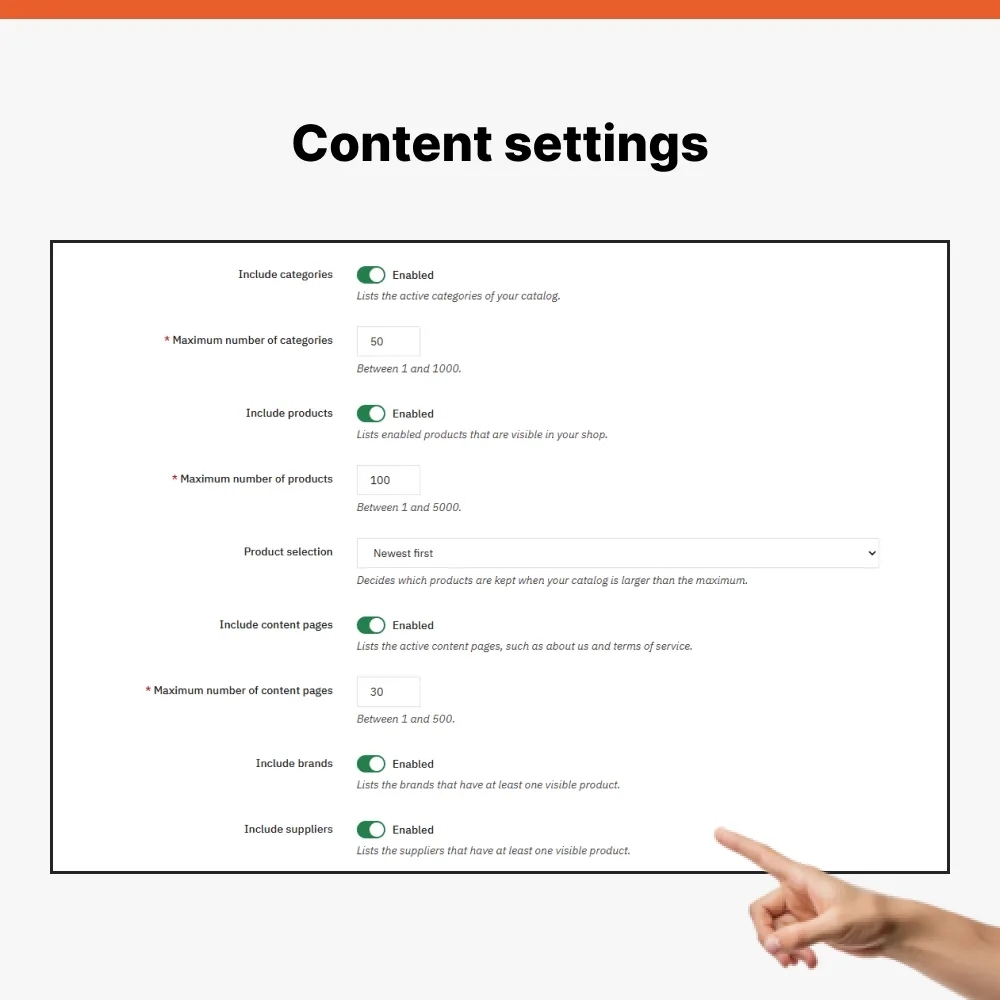
Your file starts with your store name and a short summary, followed by sections of links. Each link can be followed by a short description taken from your catalog. This module can include:
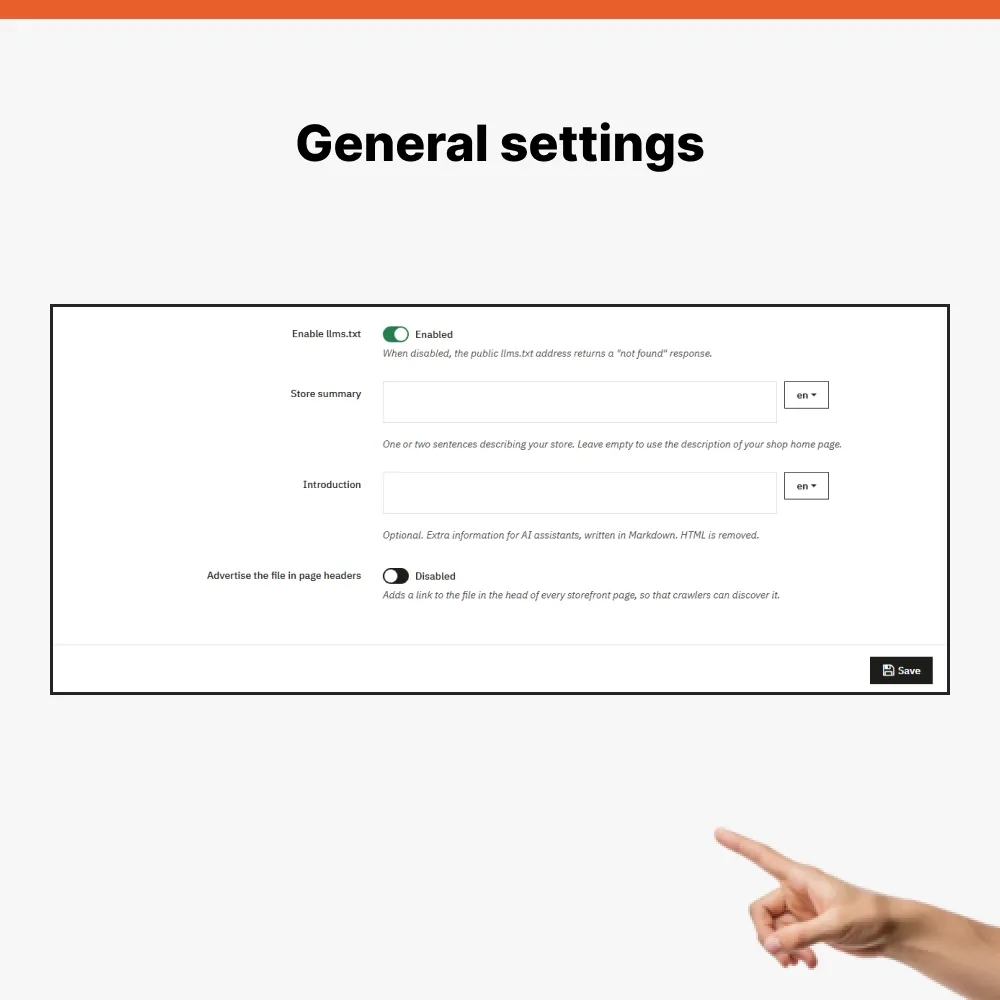
Sections that have nothing to show are left out of your file. You write a store summary and an introduction separately for each language. If you leave a summary empty, this module falls back to your home page description from your store settings.
Your file is not stored on disk, so you never have to refresh it. This module builds it from your store database on each request. A new product, a changed name or a disabled category shows up immediately, with no cron job or manual upload. A browser or proxy server may cache a response for five minutes, to avoid putting needless load on your database.
Only public data appears in your file. Products must be enabled and visible in your catalog or in search. Categories must be active and open to visitors who are not logged in. Brands and suppliers appear only if they have at least one visible product. When your store is in maintenance mode, your file is unavailable. When you disable this module, your file address returns a 404 response.
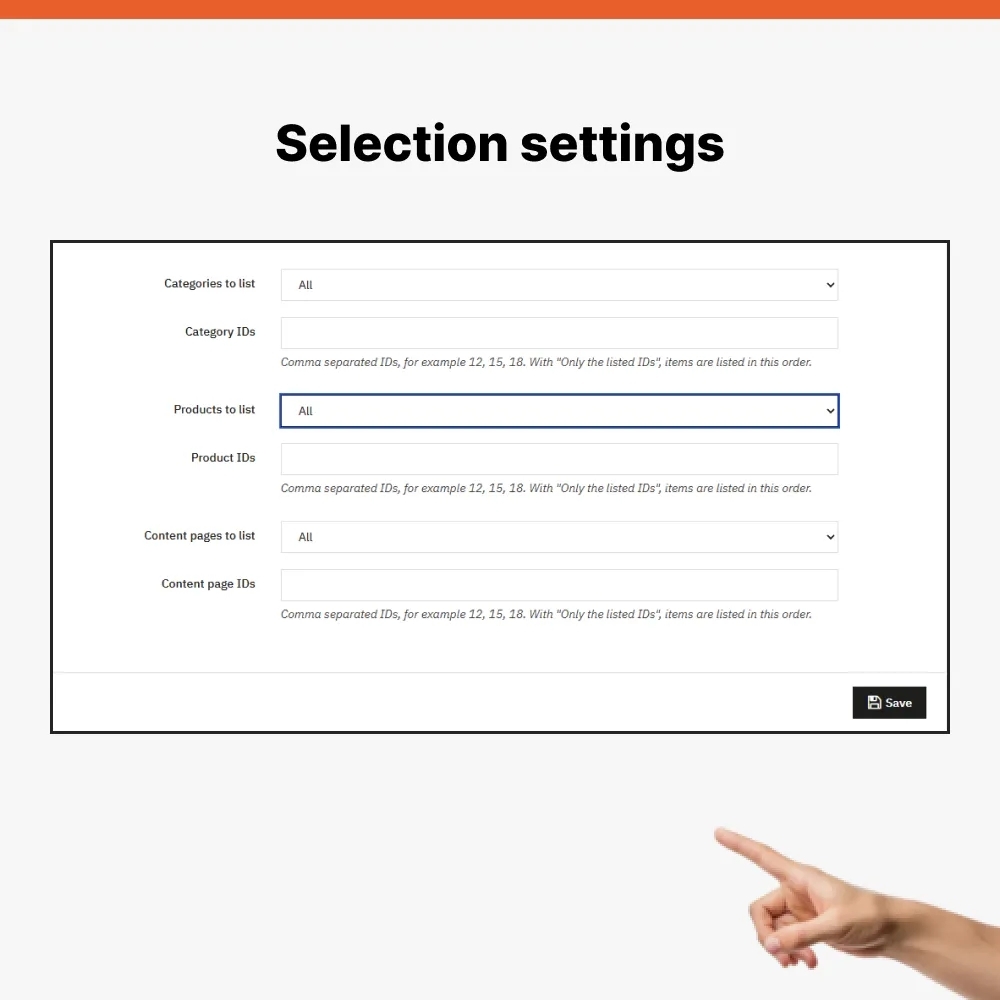
Default settings work right after installation. If you want control over content, you can:
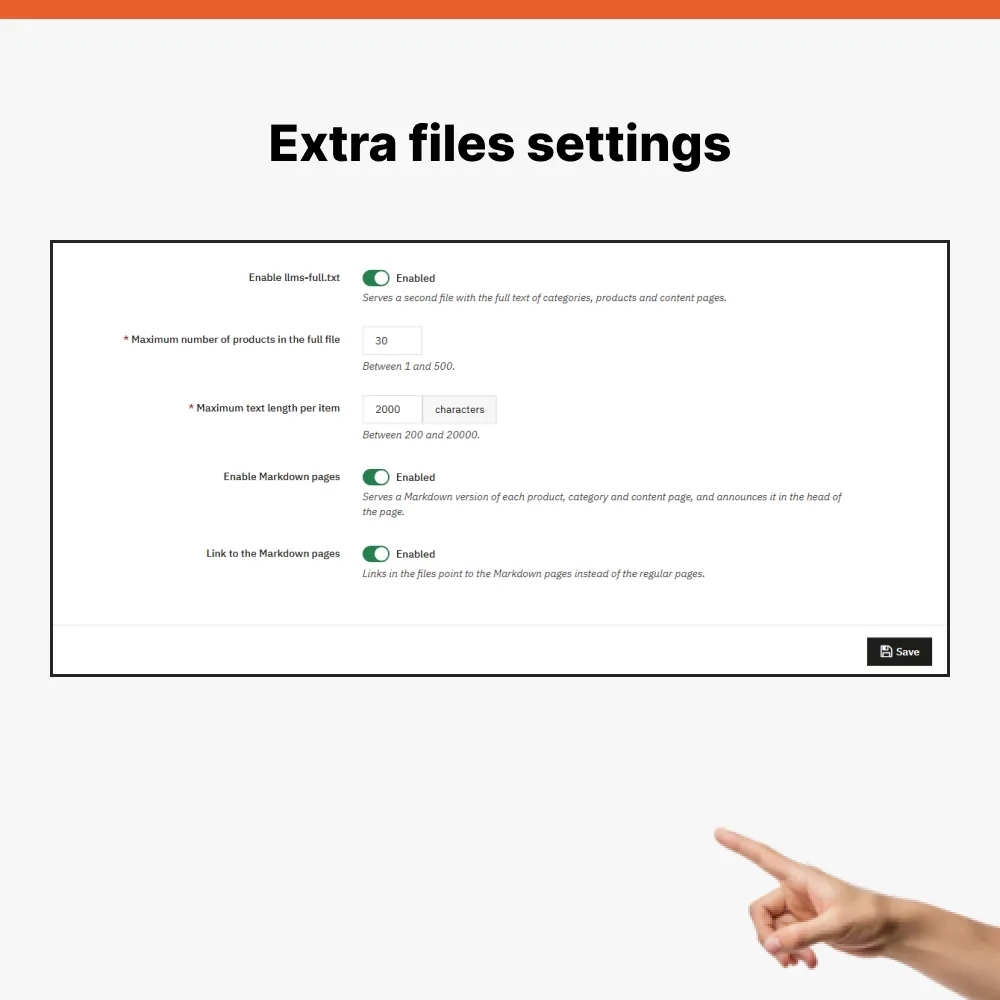
Besides your basic file, you can switch on two more features. Both are off by default.
A file named llms-full.txt contains complete text of categories, products and content pages in one document. For each product it includes price, reference, brand, availability, a link to a product page, description and features. Price is not shown where your store hides it, and availability is given only when stock management is on. You set how many products to include and how long each item's text may be.
Markdown pages make each product, category and content page available as plain text at its own address, for example /llms/product/12.md. This module announces such a version in that page's header and can link to it directly from your files.
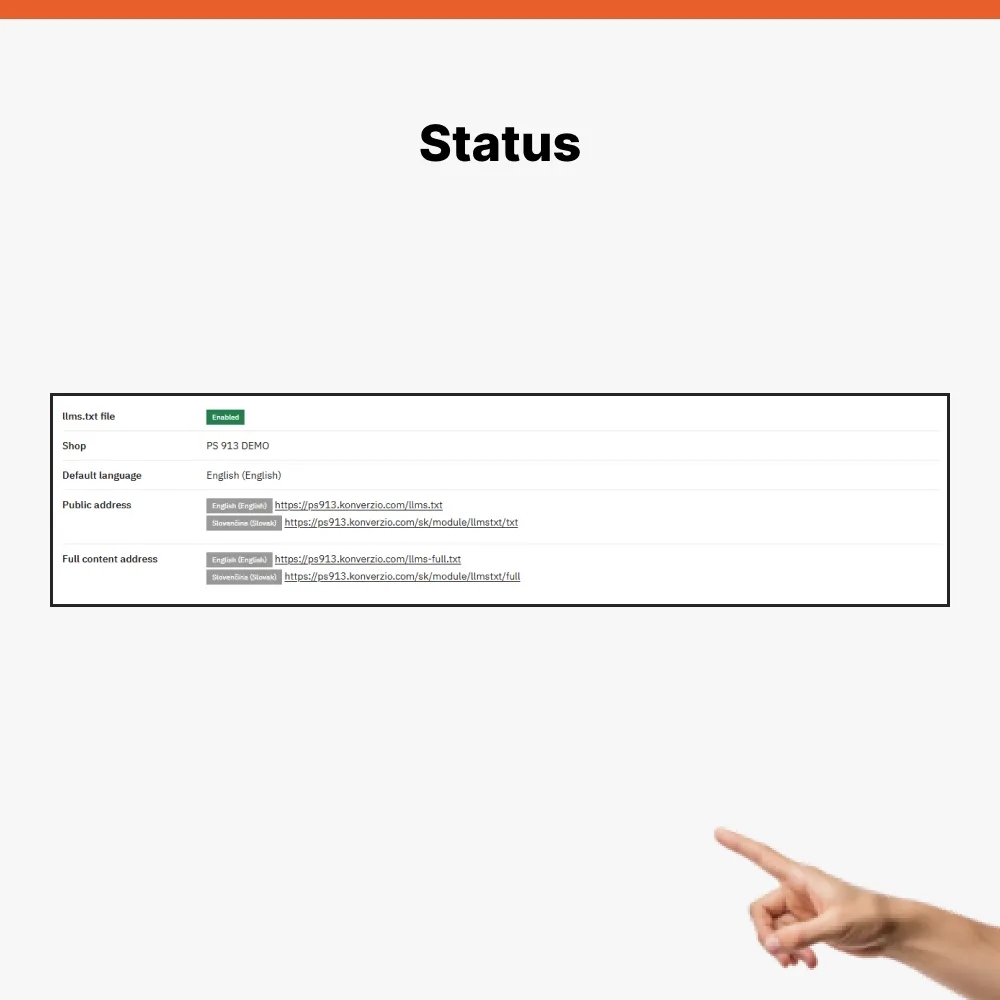
Each store in a multistore setup has its own settings and its own file. A file is created for every active language of a store. Your default language is served at /llms.txt, and other languages have their own address, which you can find in your admin panel. Both module interface and file headings are translated into Slovak, Czech, English, German, Spanish, French, Italian, Polish and Portuguese.
On your module's configuration page you see file status, public addresses and warnings, for example when friendly URLs are disabled or your store is in maintenance mode. A Preview button shows your file exactly as a robot receives it, together with a link count and size. You can copy text with one click or open your file's public address.
Only an employee with permission to configure this module can save settings, and every save is protected by a security token. HTML from descriptions is simplified to text and safe links before it is written to your file, so no scripts or forms can end up in it. This module removes tracking parameters such as utm_ or gclid from all links. Large catalogs are processed in batches to avoid overloading your server. It does not create its own database tables and it deletes its settings on uninstall.
Data sheet
PrestaShop module that creates an llms.txt file for your online store and keeps it up to date on its own. AI assistants find a short overview of categories, products and key pages in it, so they do not have to guess what your store offers.
This module works right after installation and supports multistore and multiple languages. It builds your file from your store database on each request, so you never have to refresh it. In your admin panel you see a preview of exactly what a robot receives.