
- New



This Age Verification module for PrestaShop blocks access to your online store until a visitor confirms they are old enough. You set a minimum age for your whole store and separately for selected categories, for example alcohol, tobacco or adult products.
Age-restricted goods get through neither your cart nor your checkout. For each order, this module records how old your customer was and what age was required, so you can see in your admin how that order was verified.
Do you sell alcohol, tobacco products, e-cigarettes, energy drinks or adult goods? Then you need certainty that nobody without proper age can order them. This Age Verification module guards your store in three places: at store entry, in your cart, and right before an order is created.
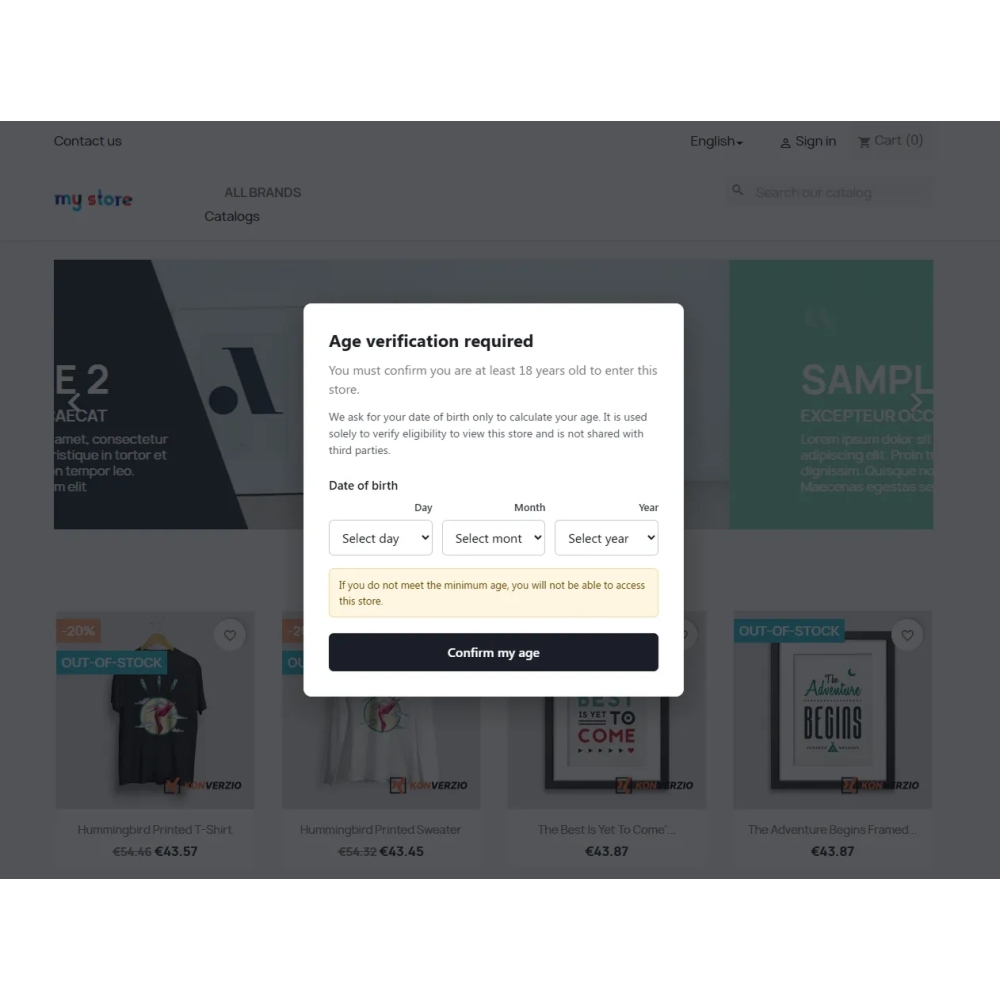
On a first visit, a verification window covers a full screen. A visitor can use your store only after verifying age. This window cannot be closed with Esc or by clicking outside it, and it works even when a visitor has JavaScript turned off.
You choose one of two verification methods.
A visitor selects day, month and year. This module calculates exact age, including leap years, and rejects invalid or future dates. This is our recommended method. Once a date is entered, it covers every age rule in your store, so you never need to ask a visitor again for goods with a higher limit.
A visitor simply answers Yes or No to a question about having at least required age. No date is collected. This is faster and more comfortable for visitors, but it is only their own declaration. If goods with a higher age limit later land in a cart, this module asks again, this time for a higher age.
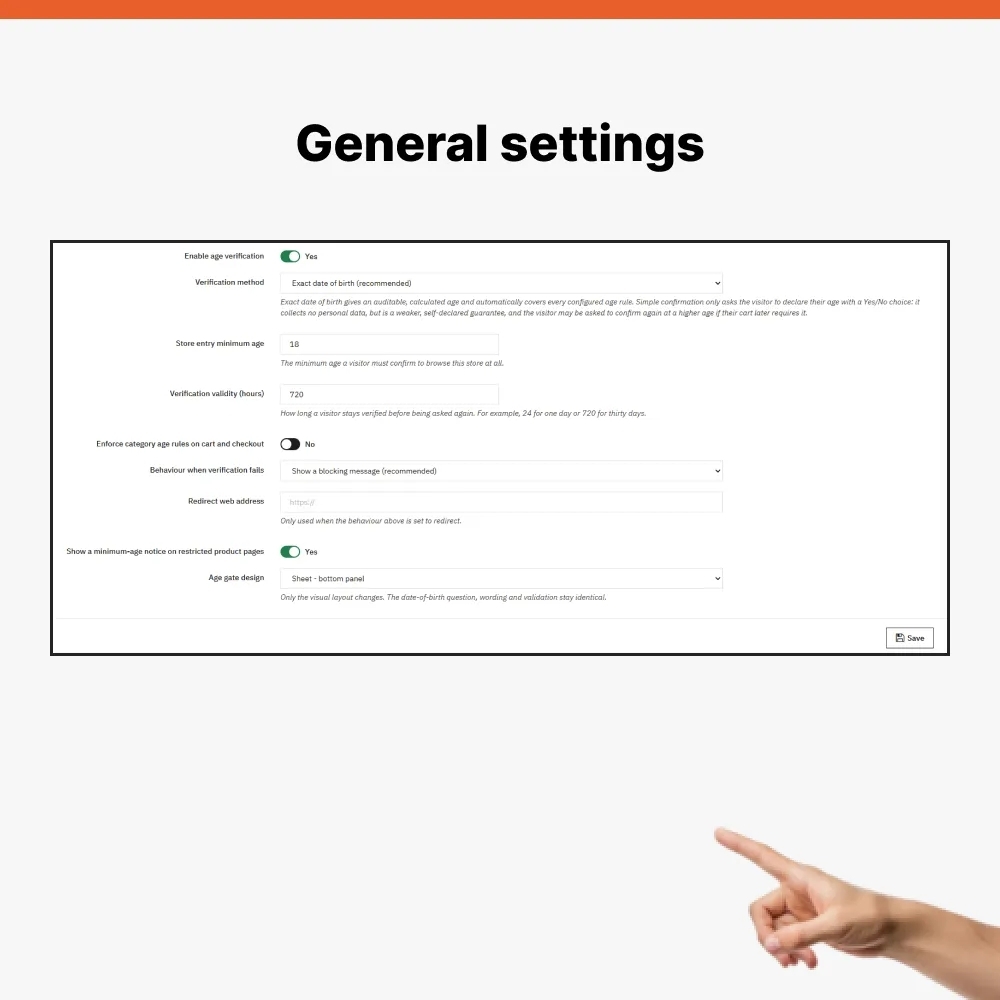
You can set your store entry age from 0 to 120 years. Alongside it, you can assign each category its own minimum age, for example 16 years for one category and 18 years for another. You can switch off any rule at any time without deleting it.
This module considers all categories a product belongs to, not only its default one. When several rules apply to one product, highest age wins.
A product page can show a minimum age note, so your customer knows in advance what to expect. If a customer adds goods they are too young for, this module removes them from a cart immediately and explains why. If a customer without sufficient verification still reaches payment, this module sends them back to a cart with a clear message.
A final check runs on your server when an order is actually created. An order that fails an age condition does not go through, even when someone tries to bypass checkout with a direct request. Each blocked attempt is written to PrestaShop logs.
In order details in your admin, you will find an Age Verification panel. It shows a result (allowed, not allowed or not required), customer age at order time, required age, verification method used and time of verification. A record is created once and later rule changes do not alter it, so you see a decision exactly as it applied on order day.
An entered date of birth is not saved in your store database. Only a calculated age stays stored with an order. This module remembers verification in a signed cookie in a visitor's browser. A visitor cannot edit it, and verification repeats once it expires. You set how long it stays valid in hours, for example 24 hours or 720 hours, which is 30 days.
A verification window comes in three designs: a centered card, a split window with a side panel, or a panel sliding up from bottom, which suits mobile phones best. Only appearance changes. A question and rules stay identical.
For a visitor who is too young, you can show a blocking message or redirect them to another web address. A window can be operated by keyboard, and texts are available in Slovak, English and Hungarian.
If you run several stores in one installation, each has its own settings and its own rules. This module includes a diagnostic script. You run it via SSH and it checks database tables, settings, rules and age calculation without changing anything.
This module does not check an ID card or any other document. Age comes from what a visitor states, so it is ordinary protection, not proof of identity. Which age limits apply to your goods is for you to decide, according to regulations in your country.
This Age Verification module for PrestaShop blocks access to your online store until a visitor confirms they are old enough. You set a minimum age for your whole store and separately for selected categories, for example alcohol, tobacco or adult products.
Age-restricted goods get through neither your cart nor your checkout. For each order, this module records how old your customer was and what age was required, so you can see in your admin how that order was verified.